Comprehensive coverage of the day’s news with a focus on war and peace; social, environmental, and economic justice. President Biden vows Western allies “have Ukraine’s back” Russian President Putin suspends participation in the last remaining nuclear weapons treaty with the U.S. Civil rights attorney Benjamin Crump sues New York and federal authorities on 58th anniversary … Continued
A weekly magazine-style radio show featuring the voices and stories of Asians and Pacific Islanders from all corners of our community. The show is produced by a collective of media makers, deejays, and activists Tonight on APEX Express it is A Time for Remembering. We are remembering what it is like to grow up in … Continued
On Valentine’s Day, join Emiliano Lemus and Lizanne Deliz as they continue a conversation about inviting embodied pleasure into our lives, to be practiced solo or shared with others! They go deeper on plants to connect to presence, joy and herbal aphrodisiacs. Originally aired 02.04.2020; part one aired 09.10.2019 and is available in the archives at KPFA.org. … Continued
Step 1: Login in to KPFA website
a. Go to kpfa.org/login
b. Use the “sign in with google” button.
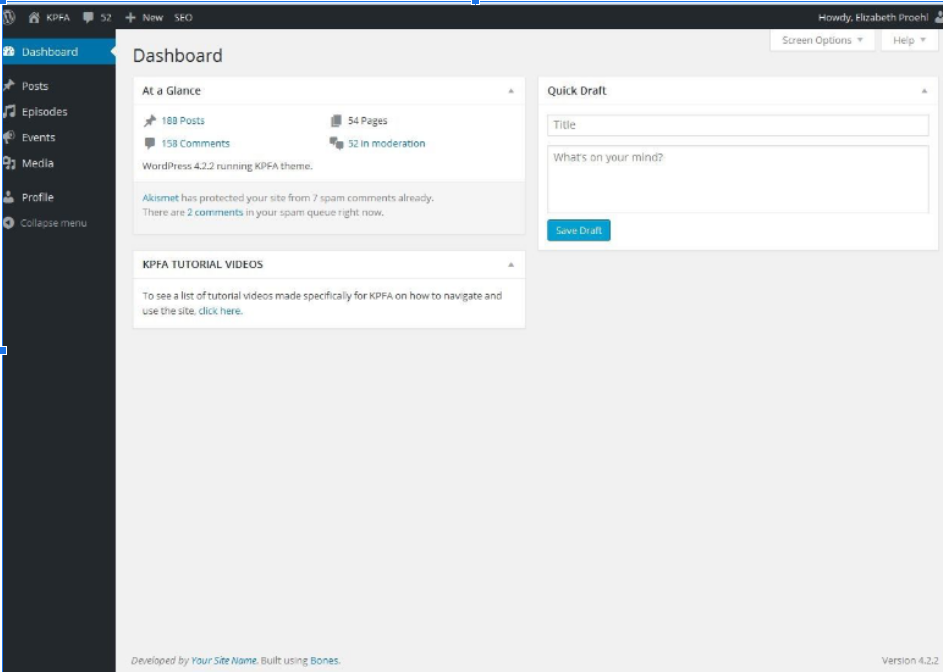
c. Login using your KPFA email and password You should see this screen, called the Dashboard.
Step 2: Navigate to the episode section
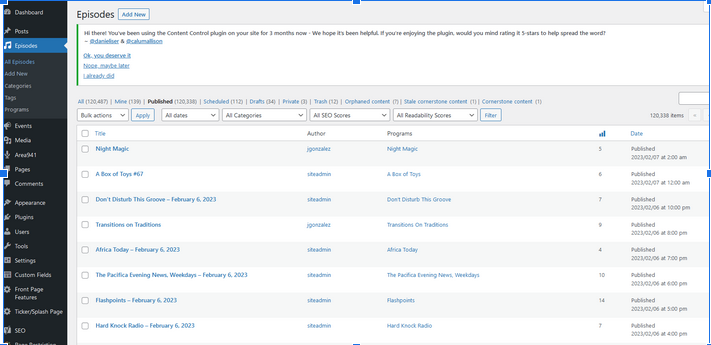
a. On the left side of the screen, a dark gray bar shows Posts, Episodes, Events etc.
b. Move the cursor over “Episodes.” Another small menu should pop up.
c. Click “All Episodes.”You should see this screen:
Step 3: Create the episode
Click the “add new” button in the upper left corner next to “Episodes.”
Step 4: Complete the episode info
a. Fill out the title and description of the episode as you normally would.
*NOTE YOU MUST FILL THIS OUT IT IS NOT DONE AUTOMATICALLY WITH EPISODES THAT ARE MANUALLY SCHEDULED.
On the right hand side you will see some boxes; these have info that must be changed in order for the episode to be published correctly and link to the correct audio.
b. In the box labeled “Categories,” click “Featured Episode.”
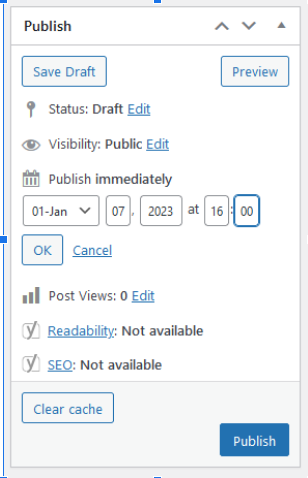
c. In the box labeled “Publish,” navigate to where it says “Publish immediately” and click “Edit” (to the right). Fill out the time and date that your episode started or will start, using 24-hour formatting for time.
d. Confirm the date and time are correct, and then click “OK.”
The example below would publish an episode backdated to January 7 at 4pm (16:00) and would include whatever audio was on air at that time.
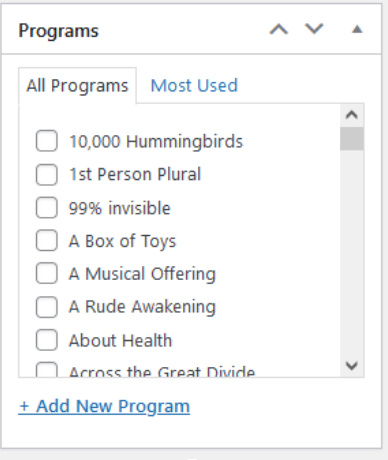
e. In the box labeled “Programs,” scroll down until you find your show. Make sure the box is checked. This will place the show in the correct places on the website, as well as post the show’s rss feeds to the correct providers (such as apple podcasts).
Step 4: Publish
Now that the time of the show is correct and you have selected your program from the list, go back to the “Publish” box and click the blue “Publish” button.
If you are working on an old episode, it will be available as soon as the page is done loading. If you are scheduling a future show, it will be published at the date and time you confirmed in Step 3.d (above).
Ann Neumann, author of this article (sorry, probably paywalled), on the bloody war in Ethiopia • two views on a proposed South American currency arrangement launched by Brazilian president Lula, one from Andres Arauz, the other from Brian Mier
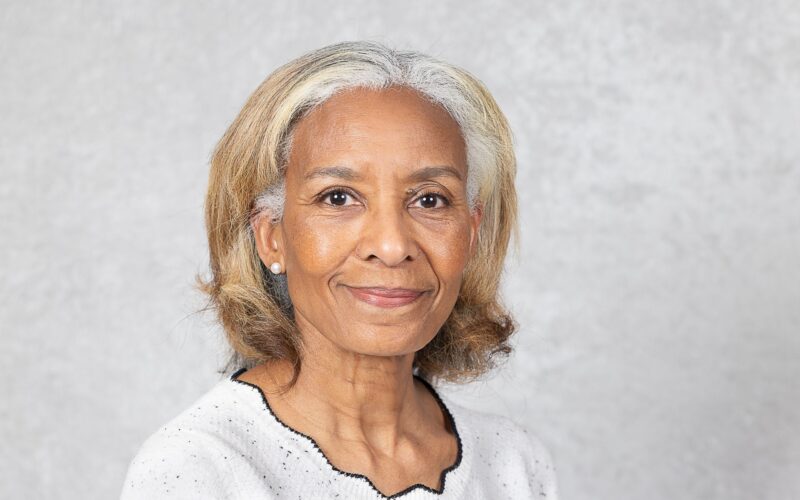
Join Sarah Holmes and her guest, Faith Mitchell, for a conversation about Gullah Herbalism. Dr. Mitchell has a doctorate in medical anthropology from the University of California, Berkeley and has written or edited numerous policy-related publications. She is also the author of, Hoodoo Medicine: Gullah Herbal Remedies @hoodoo_medicine . Faith currently lives in the DC metro … Continued
Join Sarah Holmes for an in depth exploration of depression. Tune in as she covers strategies and plants to support people during challenging times. Episode two of two. Follow us on Facebook and Instagram @theherbalhighway. Photo by Daniel Páscoa on Unsplash If you are suicidal and/or need mental health support dial 988 in the US.
Join Sarah Holmes for an in depth exploration of depression. Tune in as she covers strategies and plants to support people during challenging times. Episode one of two. Follow us on Facebook and Instagram @theherbalhighway. Photo by Jesse Gardner on Unsplash If you are suicidal and/or need mental health support dial 988 in the US.
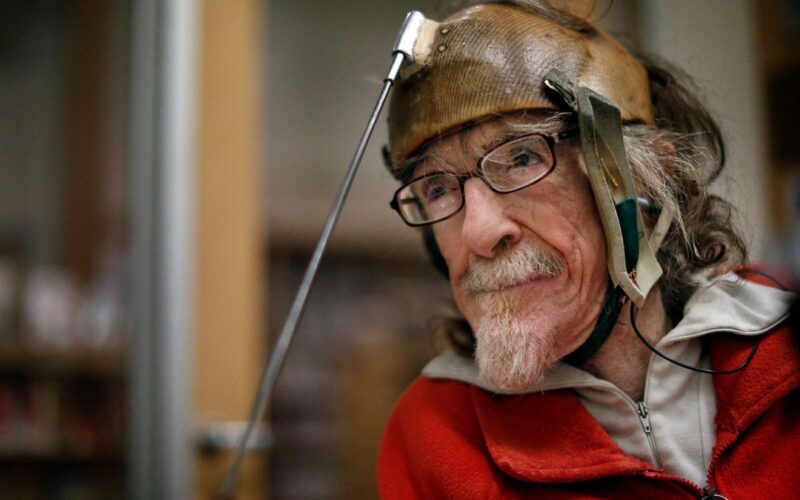
We bid farewell (we‘ll let you decide if it’s fond or not) to 2022, by talking about the past year with activists from throughout North America. In Los Angeles, Cynde Soto successfully advocated with others to get an accessible bus stop at Dodger Stadium. In Brooklyn, Kaden Hirsch became better at expressing their needs … Continued